How-to
How to set up and use a Sena 50S
Published
Short answer
To set up a Sena 50S, mount the clamp or glue mount on your helmet, fit the speakers over your ears and place the microphone near your mouth. Charge it, then pair your phone through Bluetooth, ideally using the Sena Motorcycles app, which guides you through pairing and settings. For group rides, use Mesh Intercom so riders join a channel automatically, or pair Bluetooth intercom for one-to-one links. Update firmware with the app or Sena Device Manager.
Gear for this job
All 8 picks compared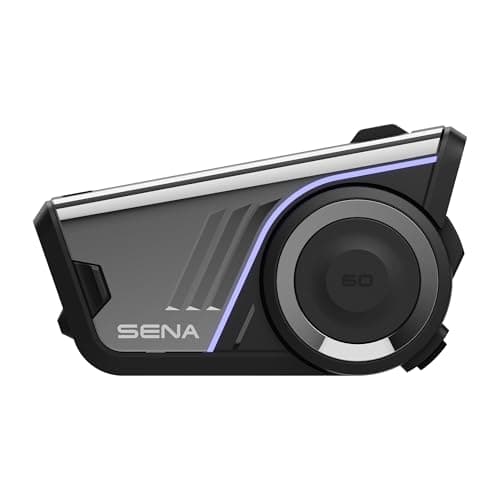
Sena 60S: WAVE, Mesh 3.0 and 24 h talk time
See price on AmazonSee it on Amazon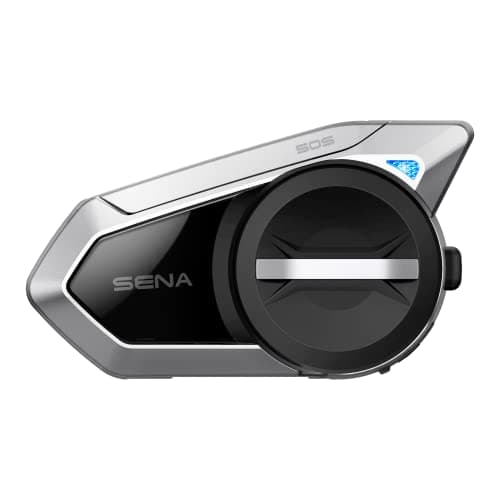
Sena 50S: jog dial, Mesh and Bluetooth 5
See price on AmazonSee it on Amazon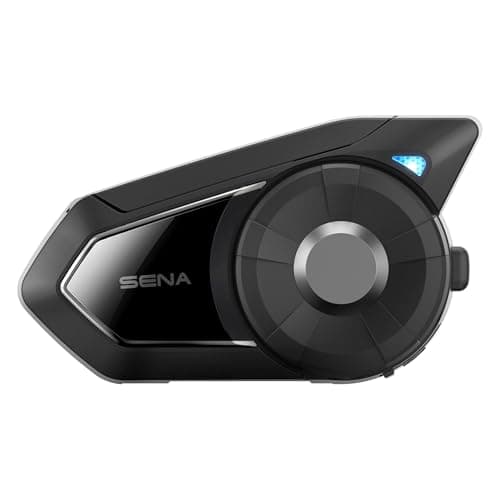
Sena 30K: Mesh 2.0, 24-rider group, 8 km
See price on AmazonSee it on Amazon
The Sena 50S is a popular mesh intercom with a jog dial control. Out of the box there are a lot of parts and features, which can feel overwhelming. This page walks through installing the 50S on a helmet, pairing a phone, using Mesh and Bluetooth intercom, and getting the most from the Sena app and the desktop Device Manager. It is for new owners and for riders who have had a 50S for a while but never set it up fully.
Install the 50S on your helmet
The 50S comes with a clamp mount and an adhesive mount. The clamp slides between the helmet shell and the liner on the left side, and the adhesive mount is for helmets where the clamp will not fit. Use the clamp if you can, since it is easy to remove.
The speakers go into the ear pockets in the liner, centered on your ears. If your helmet has no pockets, use the hook and loop pads. The microphone goes near your mouth: the boom mic for full face, modular and open face helmets, or the wired mic for full face helmets where the boom does not fit. Route the cables under the liner so nothing presses on your head.
- 1
Pick the left side of the helmet and test where the clamp fits.
- 2
Slide the clamp between shell and liner, or use the adhesive mount on a clean, dry surface.
- 3
Place the speakers centered over your ears.
- 4
Fit the microphone close to the corner of your mouth.
- 5
Tuck cables under the liner and attach the main unit to the mount.
Note.Speakers that press on your ears get painful on long rides. Move them or use thinner pads if you feel pressure.
Charge and pair your phone
Charge the 50S fully before first use. The easiest way to pair a phone is with the Sena Motorcycles app. Install it, turn on Bluetooth, and follow the in-app pairing steps. The app shows the 50S once it is in pairing mode.
You can also pair from your phone's Bluetooth menu after putting the 50S into phone pairing mode with the button sequence in the user guide. Button sequences differ between Sena models, so use the 50S quick start guide or the app rather than instructions for another model. Once paired, you can take calls, stream music and use your phone's voice assistant. The 50S also responds to voice commands such as "Hey Sena" for common functions.
Mesh Intercom and Bluetooth intercom
Mesh Intercom is the main group feature. In Open Mesh, anyone on the same channel can talk, which is easy for casual group rides. In Group Mesh, you create a private group of selected riders. Mesh reconnects automatically if a rider drops out of range and comes back.
Bluetooth intercom is the older method. You pair specific units one to one, which is useful for connecting to riders with older or other-brand Bluetooth headsets. You can switch between Mesh and Bluetooth intercom modes on the 50S. Our guide to how mesh intercoms work explains the differences, and Sena mesh not working covers fixes when a group will not connect.
Open Mesh
- How riders join
- Same channel, anyone in range
- Best for
- Casual group rides
Group Mesh
- How riders join
- Private group you create
- Best for
- Fixed riding groups
Bluetooth intercom
- How riders join
- Paired one to one
- Best for
- Riders with non-mesh headsets
| Mode | How riders join | Best for |
|---|---|---|
| Open Mesh | Same channel, anyone in range | Casual group rides |
| Group Mesh | Private group you create | Fixed riding groups |
| Bluetooth intercom | Paired one to one | Riders with non-mesh headsets |
Use the Sena app and Device Manager
The Sena Motorcycles app lets you change settings like volume, audio multitasking, voice prompts and mesh channels, and check the firmware version. It is the easiest place to adjust the unit without memorizing button presses.
Sena Device Manager is a desktop program for Windows and Mac. Connect the 50S by USB, and it checks for firmware updates and lets you change settings. Keep the firmware current, especially before group rides with newer Sena units, since mismatched firmware can cause connection problems. Charge the unit before updating and do not unplug it mid-update.
- 1
Install Sena Device Manager from Sena's official site.
- 2
Connect the 50S with a USB data cable.
- 3
Let the program detect the unit and check for updates.
- 4
Install any update and wait for it to finish.
- 5
Review settings, then disconnect and test.
Tips for daily use
Turn audio multitasking on if you want music or GPS prompts to keep playing quietly while you talk on intercom. Set volume with the jog dial before you ride, since adjusting at speed is distracting. Charge after every long ride.
If you are deciding between the 50S and a newer model, our best Sena intercoms guide compares the range, and Cardo Packtalk vs Sena 50S puts it against its main rival.
Frequently asked questions
What app does the Sena 50S use? The Sena Motorcycles app for phones handles pairing and settings. Sena Device Manager on a computer handles firmware updates and settings over USB.
Can a Sena 50S talk to a Cardo? Not over mesh, since the mesh systems are different. You can usually connect them using Bluetooth intercom pairing.
Do I need to update my 50S firmware? It is a good idea. Updates fix bugs and help compatibility with other Sena mesh units.
Where should the 50S speakers sit? Centered over your ears, as close as comfortable. Speakers too far forward or back sound quiet and muffled.
What you need for this
- See price on AmazonAmazon
Sena 60S: WAVE, Mesh 3.0 and 24 h talk time
 See price on AmazonAmazon
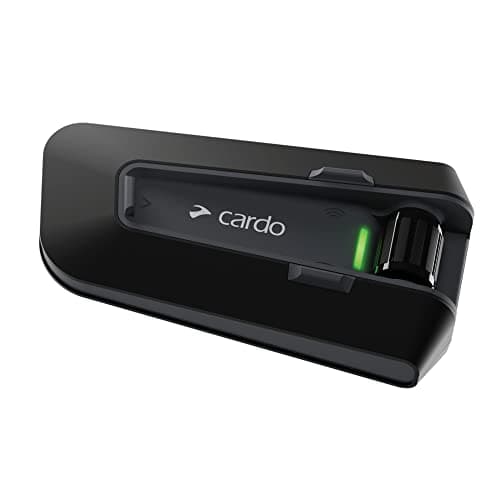
Cardo Packtalk Neo: mesh for up to 15 riders
From Best motorcycle intercoms for solo riders, couples and groups